Celestial Pole22.61
Publisher Description
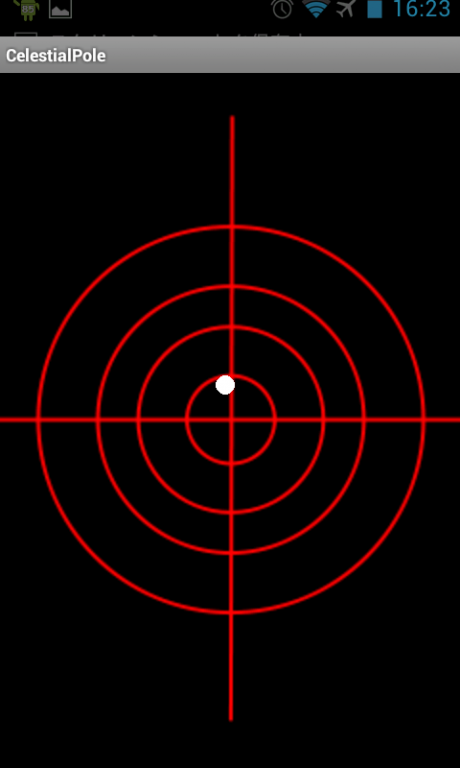
This app helps you to align your equatorial telescope mount toward the celestial pole at daytime.
But you know it does not guarantee high-precision adjustment.
When the white circle is the center of target, the surface of your device is toward the celestial pole.
It supports the Southern Hemisphere.
You can select a surface facing the pole.
These are autoselect.
It supports to calibrate by the magnetic declination on your location.
A white circle indicates true north and a blue circle indicates magnetic north.
It supports Saddle mode.
This is rough mode because of dependent of the rotation on the pole axis. This is a specification of android OS.
Caution:(Android6 or above)
You need to give permission for "Location" to this App at the first launch.
usage:
Your device is fixed on your equatorial telescope mount and you will set the white circle on the center of target.
#App info>Permissions>Location
keywords:
Astronomy,astrophotography,solar eclipse,equatorial,polar,telescope
About Celestial Pole2
The company that develops Celestial Pole2 is S.Nakada. The latest version released by its developer is 2.61.
To install Celestial Pole2 on your Android device, just click the green Continue To App button above to start the installation process. The app is listed on our website since 2019-01-05 and was downloaded 76 times. We have already checked if the download link is safe, however for your own protection we recommend that you scan the downloaded app with your antivirus. Your antivirus may detect the Celestial Pole2 as malware as malware if the download link to com.nak.astro2 is broken.
How to install Celestial Pole2 on your Android device:
- Click on the Continue To App button on our website. This will redirect you to Google Play.
- Once the Celestial Pole2 is shown in the Google Play listing of your Android device, you can start its download and installation. Tap on the Install button located below the search bar and to the right of the app icon.
- A pop-up window with the permissions required by Celestial Pole2 will be shown. Click on Accept to continue the process.
- Celestial Pole2 will be downloaded onto your device, displaying a progress. Once the download completes, the installation will start and you'll get a notification after the installation is finished.
Program Details
System requirements
Download information
Pricing
Version History
version 2.61
posted on 2019-01-05
Optimization of display
version 2.1
posted on 2013-07-24
This app use a last location within one hour firstly.
